Construction-Site-Safety-Inspection-Application
Construction Site Safety Inspection Desktop Application
Construction Site Safety Inspection Desktop Application can detect safety gears on uploaded images and through webcam. This repo contains the application installation file (.exe) on the release section. This is the initial version of the application.
Introduction
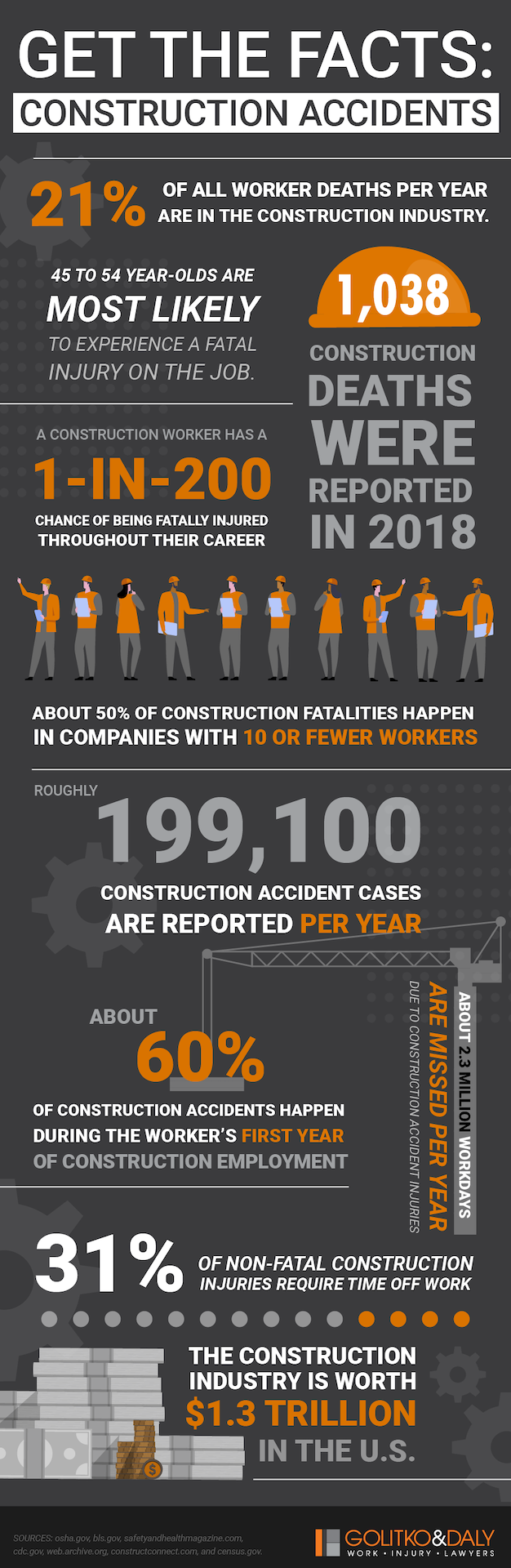
Construction site safety is of utmost importance in the construction industry. According to Indianaworkers roughly 199,100 accidents are reported every year and 50% of the accidents occurs in the companies with 10 or fewer workers. In US, the construction industry is worth 1.3 trillion OSHA where 80% of the companies do not have enough workers, which makes them prone to more fatality risks. Construction site safety inspection app is created to ensure compliance with safety regulations and guidelines at construction sites. This application has a very user-friendly interface that anyone can use to detect workers with missing safety gears and with promoting proper conduct of safety equipment.
Features
- Built With Python: The Construction Site Safety Inspection App is built with Python programming language to deliver the object detection result accurately and efficiently.
- User-Friendly Interface: A simple and intuitive user interface built with Tkinter library of Python, allows for easy navigation and interaction with the application.
- Image Upload: Easily upload multiple images for safety gear detection.
- Webcam Integration: Real-time detection of safety gears using the device’s webcam.
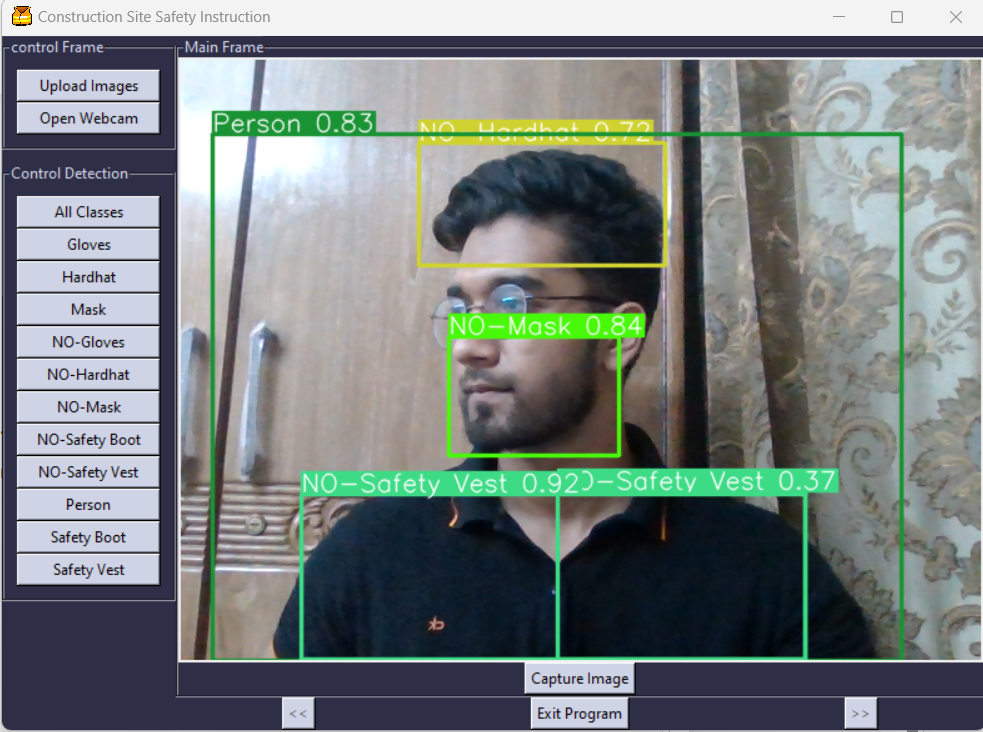
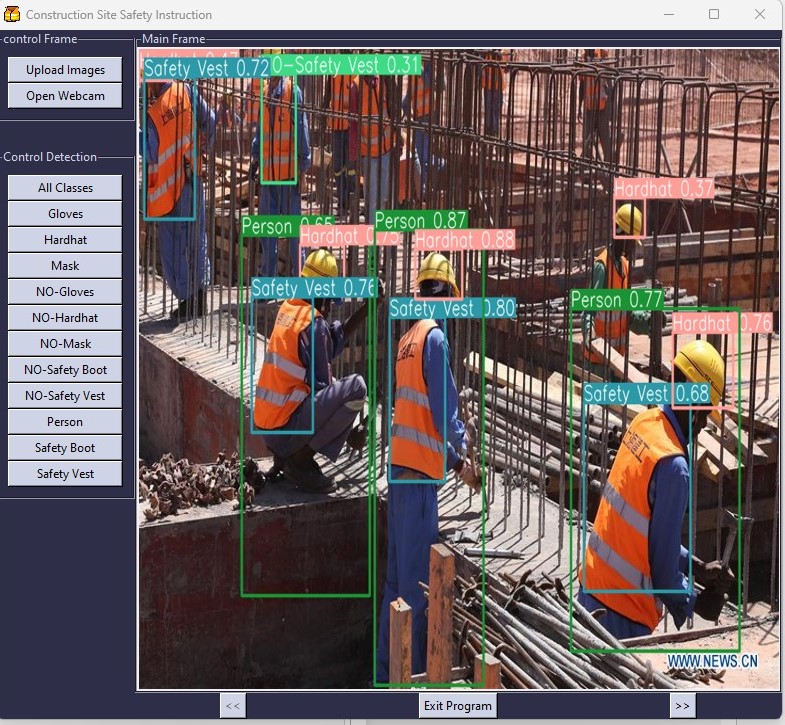
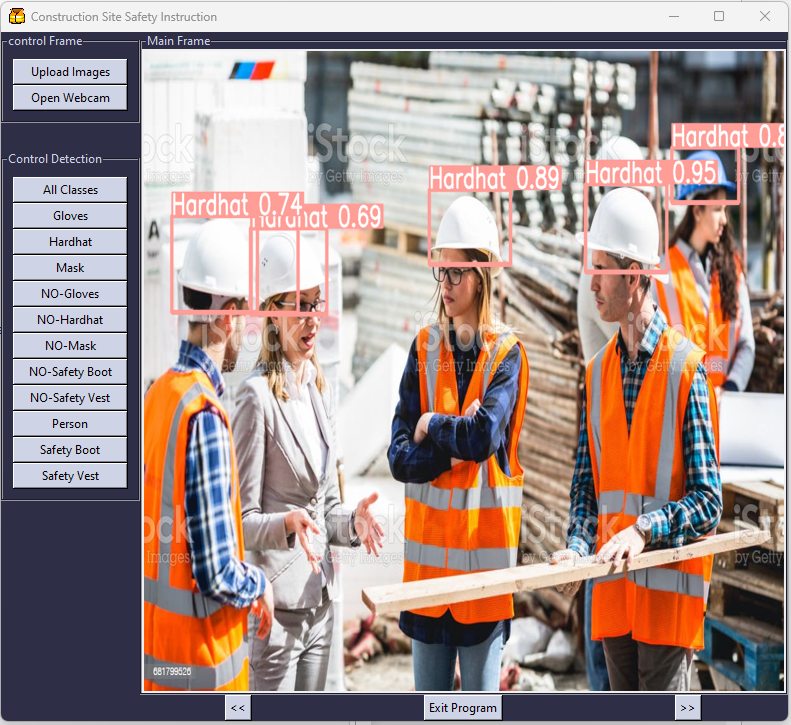
- Safety Gear Detection: The app utilizes advanced computer vision algorithms specifically custom-trained object detection model (best.pt) based on yolov8s.pt provided by Ultralytics library to identify persons and construction site safety gears such as Gloves, No-Gloves, Hardhat, No-Hardhat, Mask, No-Mask, Safety Boot, Safety Vest, No-safety Vest.
- Customized Detection: The app not only detect all the classified objects at default, but also provides buttons for detecting specific objects on the images as well as the webcam feed.
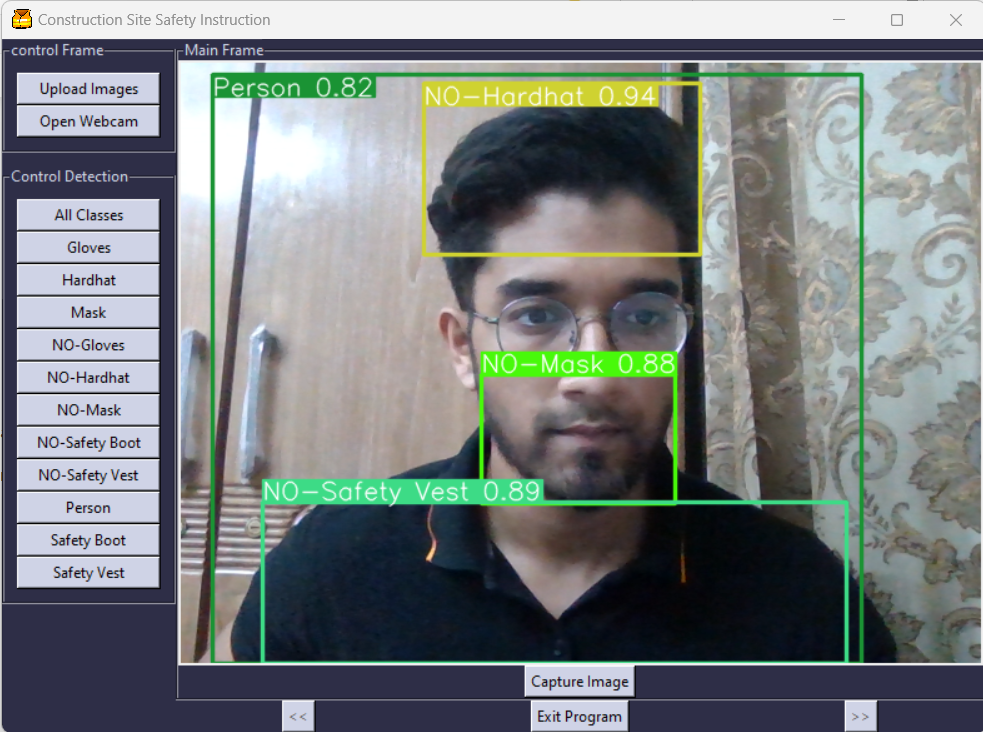
- Capturing Images: While using webcam, you can capture images at any time and the images will automatically be saved in the application folder. This will help keep records of workers’ safety measures maintenance as well as at sites.
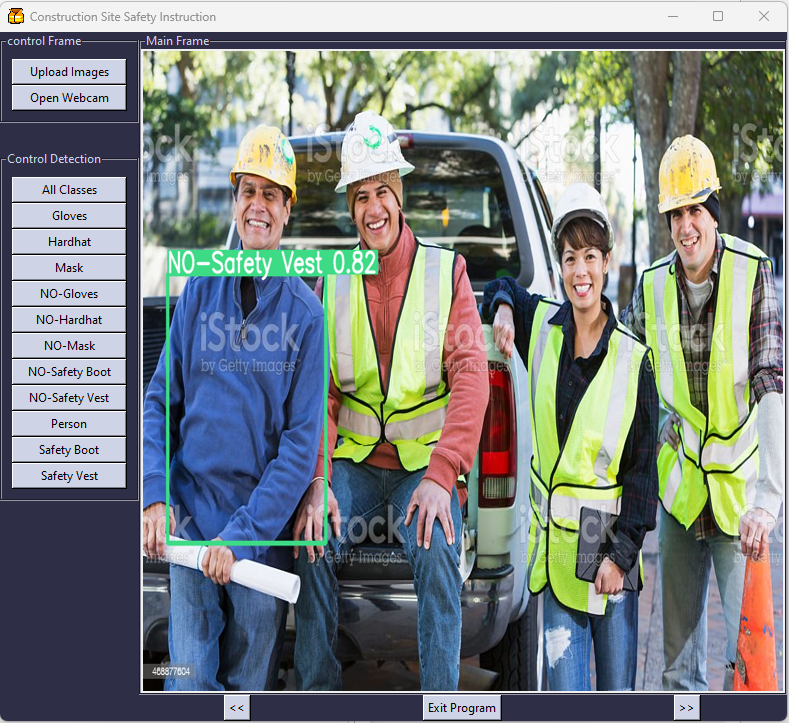
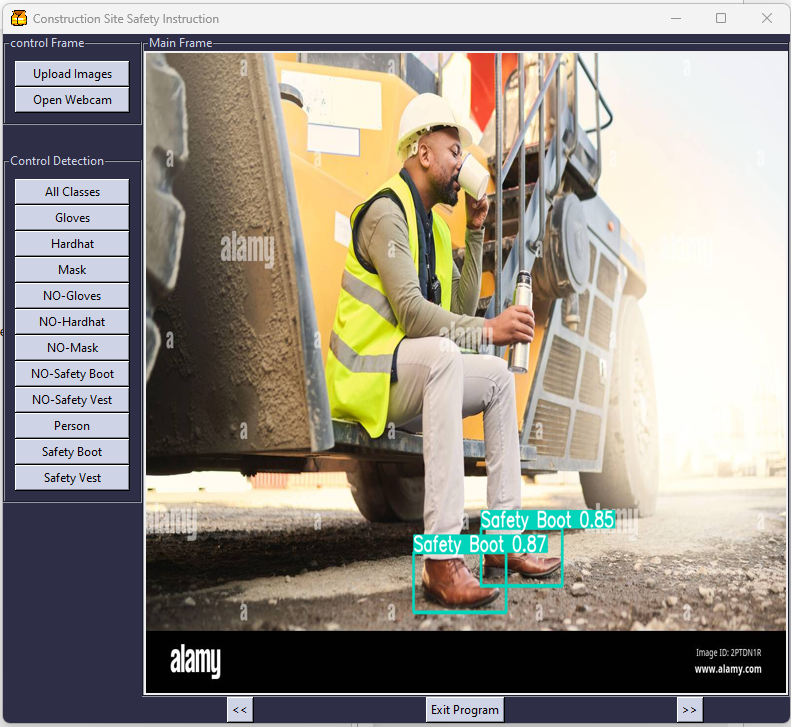
- Detailed Results: The app provides detailed results, highlighting the detected safety gears, probability percentage and their locations in the images or the webcam frames.
- Enhance Safety Compliance: Use the app to inspect and keep records to ensure compliance with safety regulations and guidelines at construction sites.
Code
This repo contains the Python code named construction_site_safety_inspection_app.py responsible for developing the application.
Object Detection Model
The model folder contains a custom-trained object detection model (best.pt) that was created using the Ultralytics library and it’s used in this application to detect the objects. The model was trained with a custom made dataset consisting of 424 images.
Releases
This is the initial release of the application. The installation file can be found on the Releases section of this repository.
Installation
To install this application, go through the following steps:
- Go to the Releases section of this repository, scroll down and you will find construction.site.safety.inspection.setup.exe. below Assets.
- Download the construction.site.safety.inspection.setup.exe file on your desktop.
- Install the application and start your inspection!
Results
The results folder contains the output images of the application and image capture with the webcam.
Future Upgrade
- Video uploading option and detecting safety gears from uploaded videos can be added in the future versions.
- The object detection model can be trained with more datasets to increase its detection accuracy.
- Video capturing through webcam function can be integrated.
- More object classes can be added.